MECCHA CHAMELEON
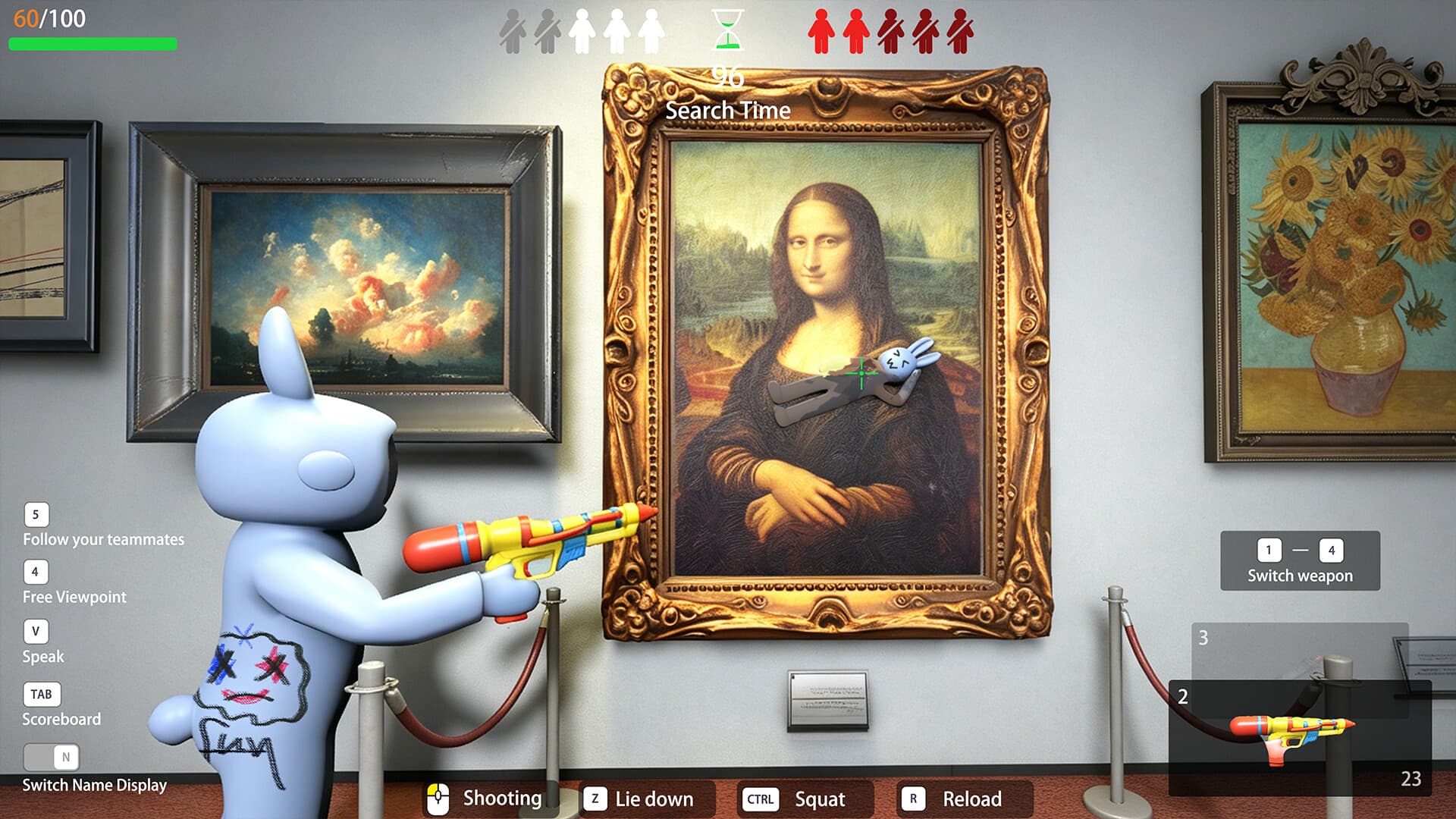
Paint your own body! Blend in like a chameleon in this hide-and-seek game!
yeah! Mechcha "Hide and Seek"
The rules are simple. Split into the Seeker team and the Hider team to play hide-and-seek. The Seekers win if they find everyone within the time limit.
yeah! Mechcha "Paint"
The way you hide is a bit special. Paint your pure white body to blend into the stage. Just like a chameleon. The hiding spot, the pose, and above all, your artistic skills are the key! Deceive the Seekers' eyes with a mimicry that would even surprise a chameleon.
yeah! Mechcha "Matching"
Of course you can play with friends, but you can also play with people you don't know. (If you create a server that is not set to private, anyone can join freely.) Game streamers can easily host viewer participation games. The maximum number of players depends on the host's network environment. (2–10 players recommended. This may increase or decrease based on future playtests.)
[About Videos and Streaming]
Gameplay videos and streaming are welcome. Please check the following two points:
Include the name of this game in the title. (Required)
Include the Steam store page URL in the description. (Optional)
Frequently Asked Questions
Answers about game account rentals, delivery speed, Steam codes, and rental periods.
What is game account rental?+
Game account rental lets you pay for temporary access to a full game account for a fixed period. After payment, credentials are delivered instantly and access expires when the rental period ends.
How fast do I receive the account?+
Accounts are assigned automatically right after payment, usually within seconds. You can view the username, password, and Steam verification code on your order or rental result page.
Is renting a game account safe?+
We provide dedicated rental accounts for each order and offer customer support when needed. Please do not change account settings outside your rental period or share your credentials with others.
How do I get the Steam verification code?+
If the account has Steam Guard enabled, the rental result page shows the current verification code and refreshes it automatically. You can also view it again from your order details.
Can I keep using the account after the rental ends?+
No. Access expires automatically when your rental period ends. To keep playing, place a new rental order or purchase another rental period.
 New Arrivals